Routes & Scheduling
Build a service day operators can actually run
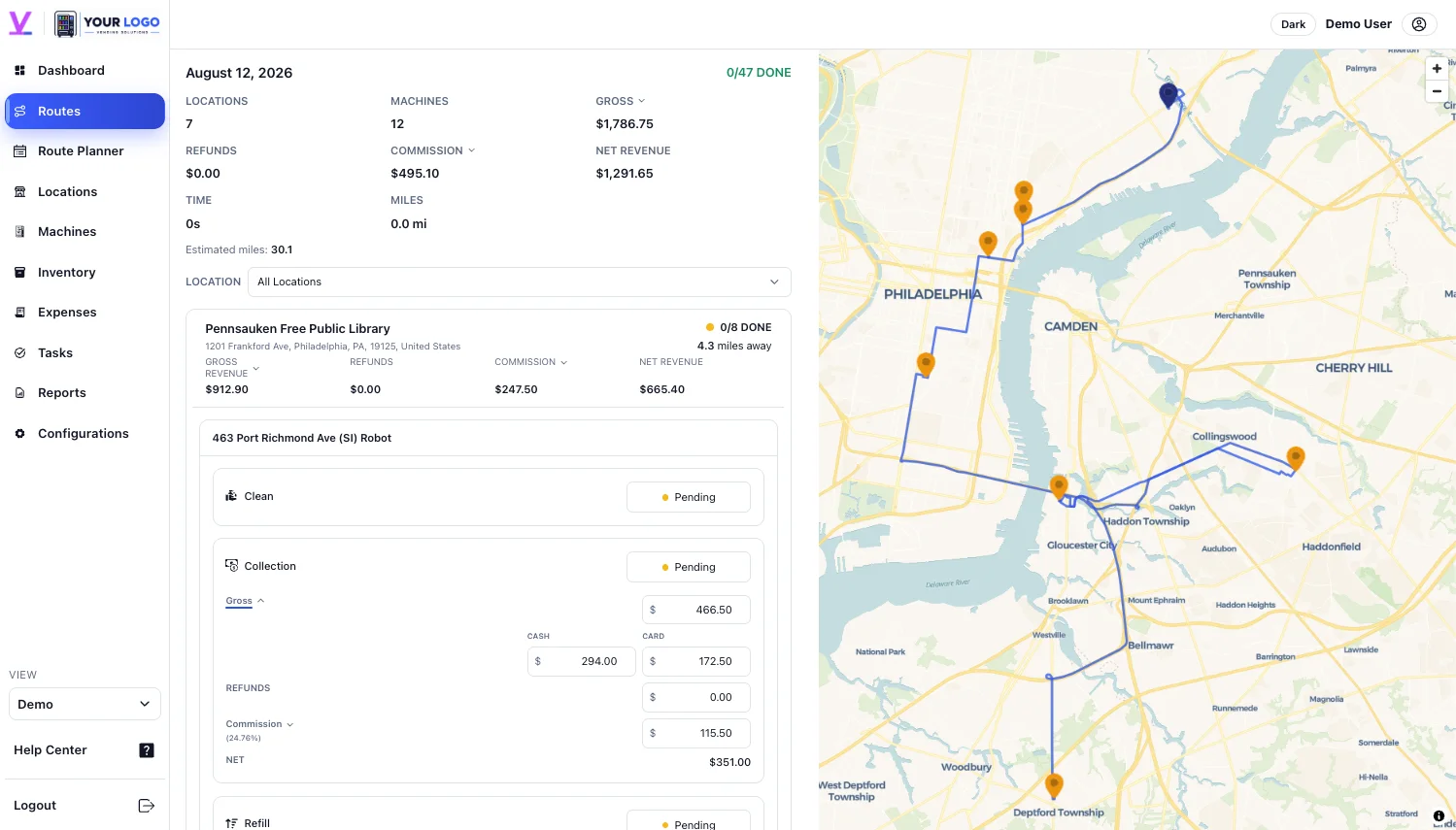
Plan stops around service needs, location schedules, operator assignments, mileage, and the context behind every route.
Routes & Scheduling
Plan stops around service needs, location schedules, operator assignments, mileage, and the context behind every route.
Go Summary
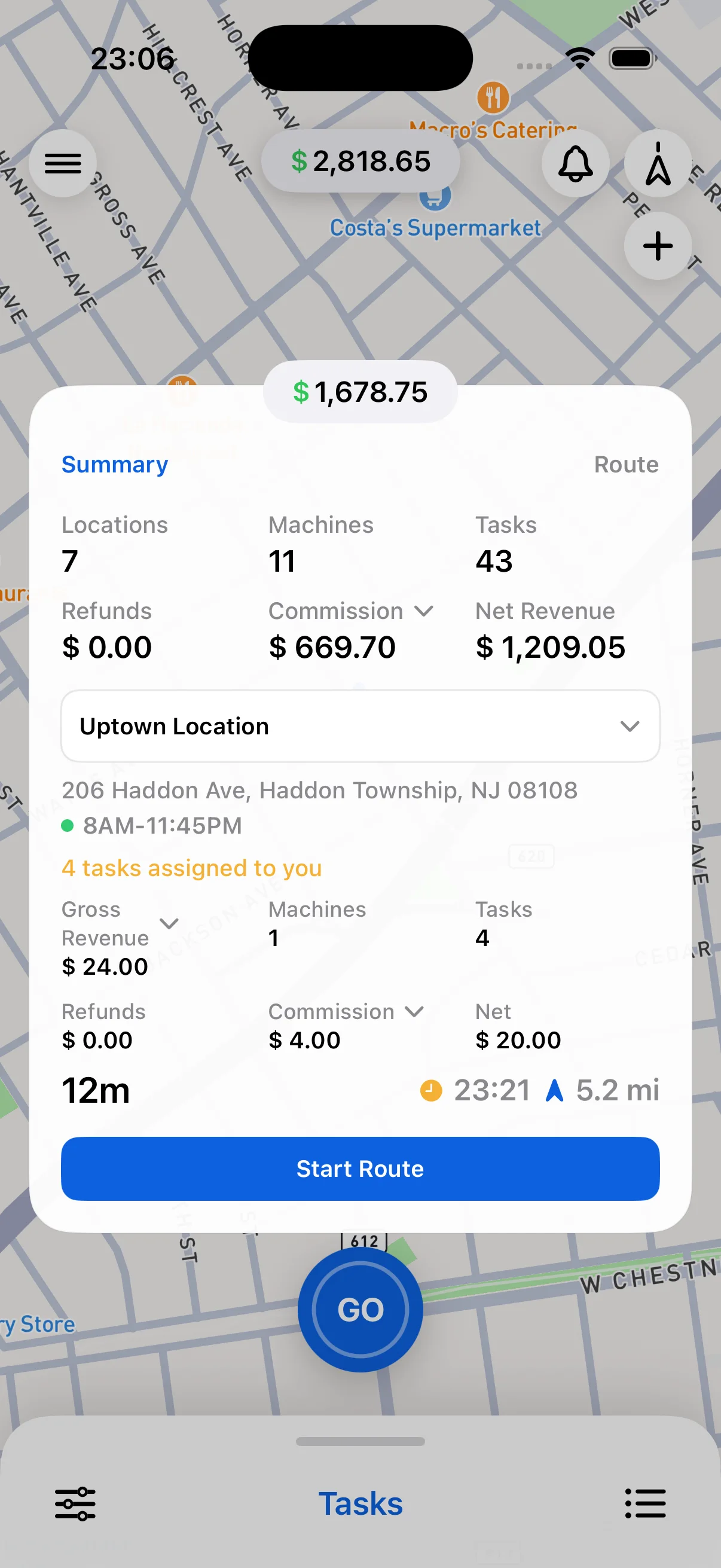
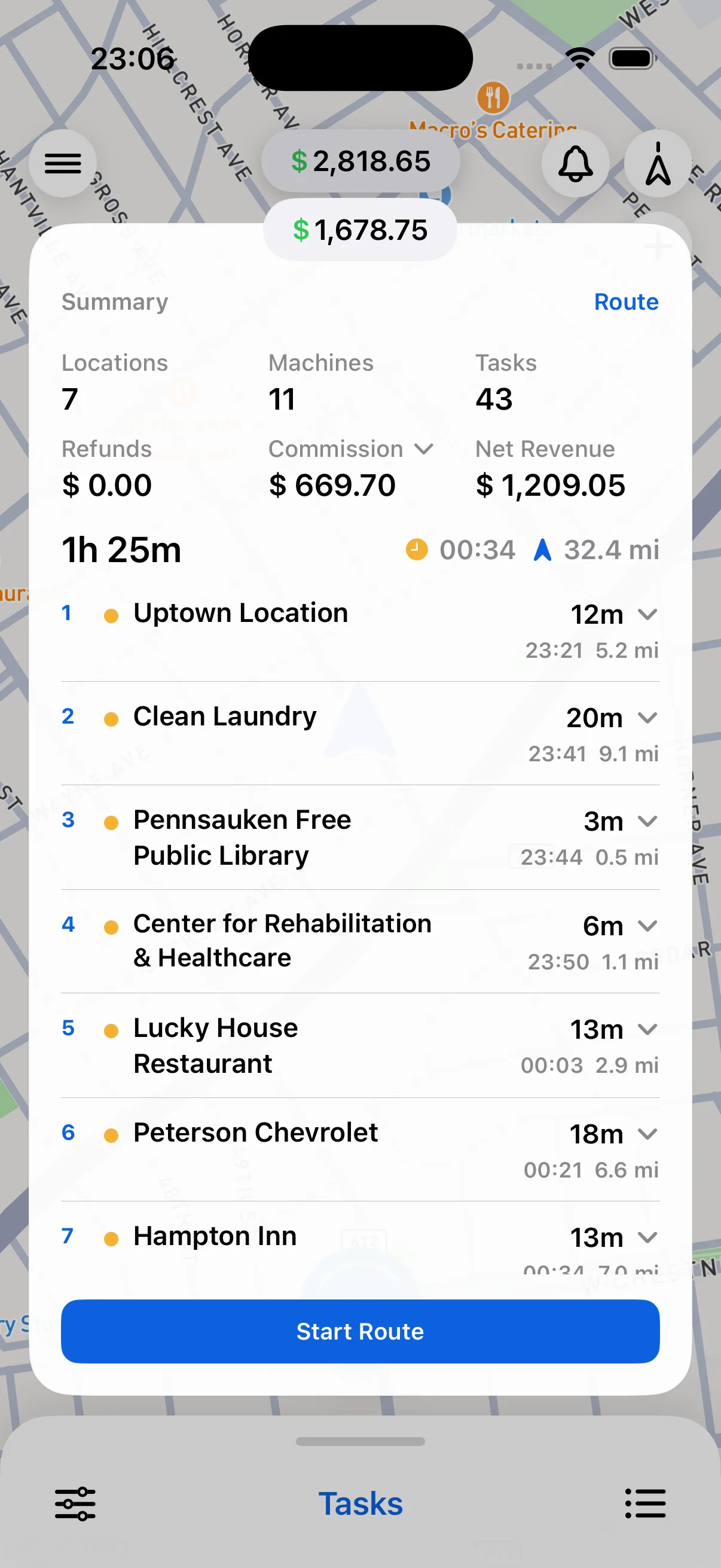
Give operators a complete view of the day—not just the next address. Go Summary keeps total route time, mileage, stop order, tasks, and expected arrival times in one place.

Locations · Scheduling
Start with the locations that need service, group them into workable days, then optimize the schedule against total mileage and drive time. Before applying changes, review location hours, operator assignments, and days that run beyond the target.
From plan to pavement
The assigned route moves into the mobile workflow with GPS-backed navigation, current traffic context, stop details, and the work waiting at arrival.


FAQ
Yes. Stops and assignments can be adjusted while keeping the location, machine, and service context connected to the work.
Supported mobile workflows give operators their assigned stops, route summary, and GPS-backed navigation in the field.
Route activity can keep distance, travel time, stop order, and completed work together for a clearer operating record.