Expenses

Capture the cost without the busywork

Turn receipts, line items, and provider fees into organized expense records your team can review with confidence.

An operator capturing a business receipt with a mobile phone
Receipt capturedReady for review
A business operator organizing purchase receipts
Receipt captured Details extracted Ready to review

From receipt to record

Start with the receipt, not a blank form

Upload a receipt and let Vendistri prepare the purchase details for review. Merchant, date, totals, payment details, and line items stay together so the original document remains close to the record.

  • Capture single receipts or prepare a batch for review
  • Keep the original attachment with the expense
  • Flag incomplete or uncertain details before saving

A cleaner review

Know exactly what needs a second look

Receipt detailsVerify before it becomes a record

Review merchant, date, tax, discounts, payment information, and receipt number before saving.

Line itemsKeep the purchase breakdown intact

Confirm quantities, unit prices, discounts, tax, and item totals against the receipt arithmetic.

Business contextOrganize spending where it belongs

Attach categories, locations, machines, payment accounts, notes, and supporting files to the expense.

One expense workspace

Find the detail behind every total

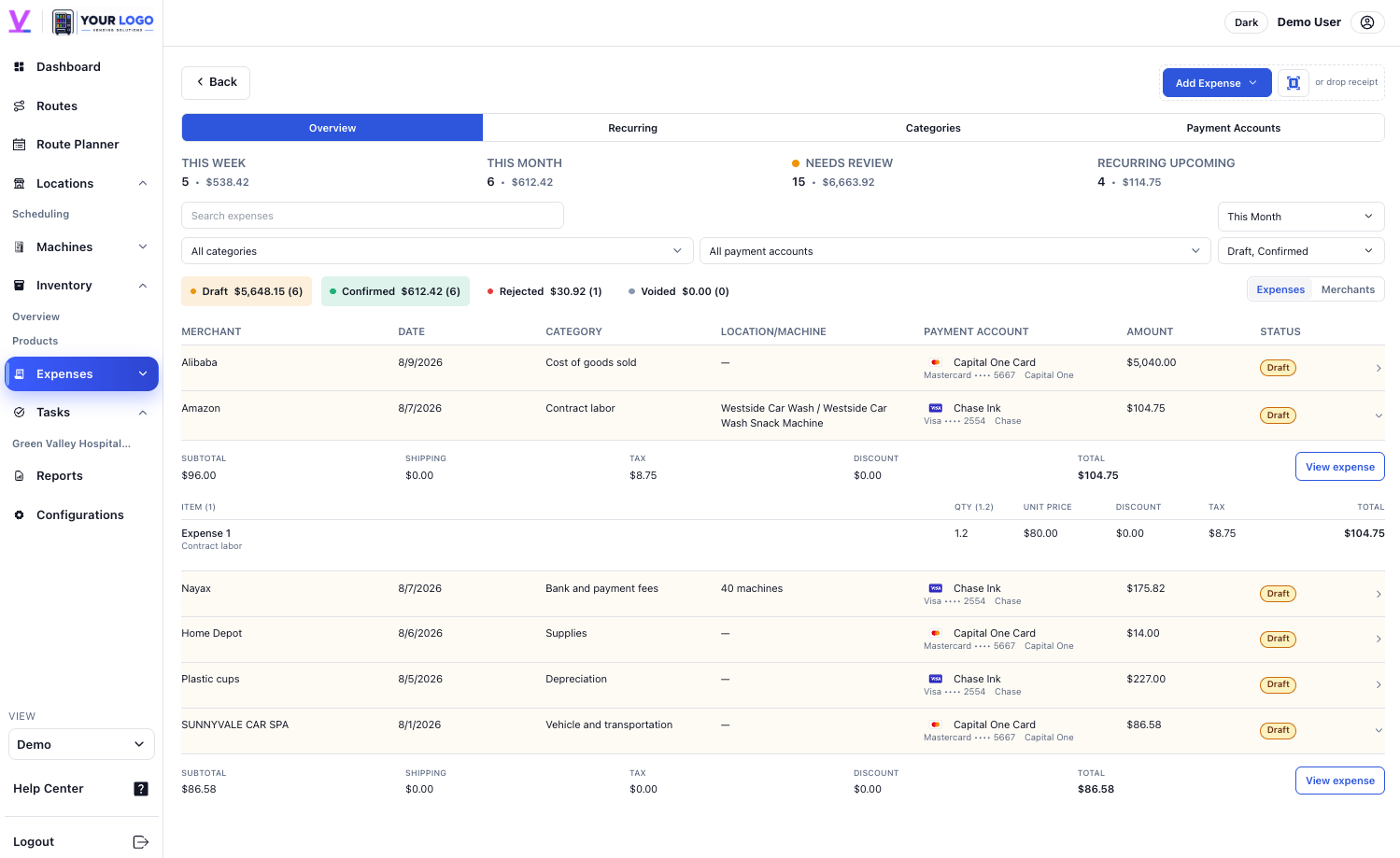
Use one organized view for purchases and operating costs, then open the supporting record when a total needs an explanation. Filters and connected business context make later review faster.

Review statusSeparate drafts from completed recordsAttachmentsKeep source documents within reachContextConnect costs to locations and machines
Vendistri expense overview with organized operating costs
A business operator reviewing costs from a phone

Provider-calculated expenses

Turn processing fees into reviewable drafts

Define how supported provider fees apply, then let current sales prepare the draft expense. Vendistri keeps the calculation connected to the machines and activity that produced it.

  • Model percentage, per-transaction, per-device, and fixed fees
  • Use separate rate groups when machines have different terms
  • Review generated drafts before they join the expense record

FAQ

Expense questions, answered

Can I capture a receipt from my phone?

Yes. Receipt photos can begin an expense record while the purchase details are still fresh.

Can extracted details be reviewed before saving?

Yes. The review step lets you confirm extracted information before it becomes part of the expense record.

Can expenses stay connected to business context?

Expenses can retain categories and related business details so spending is easier to understand later.